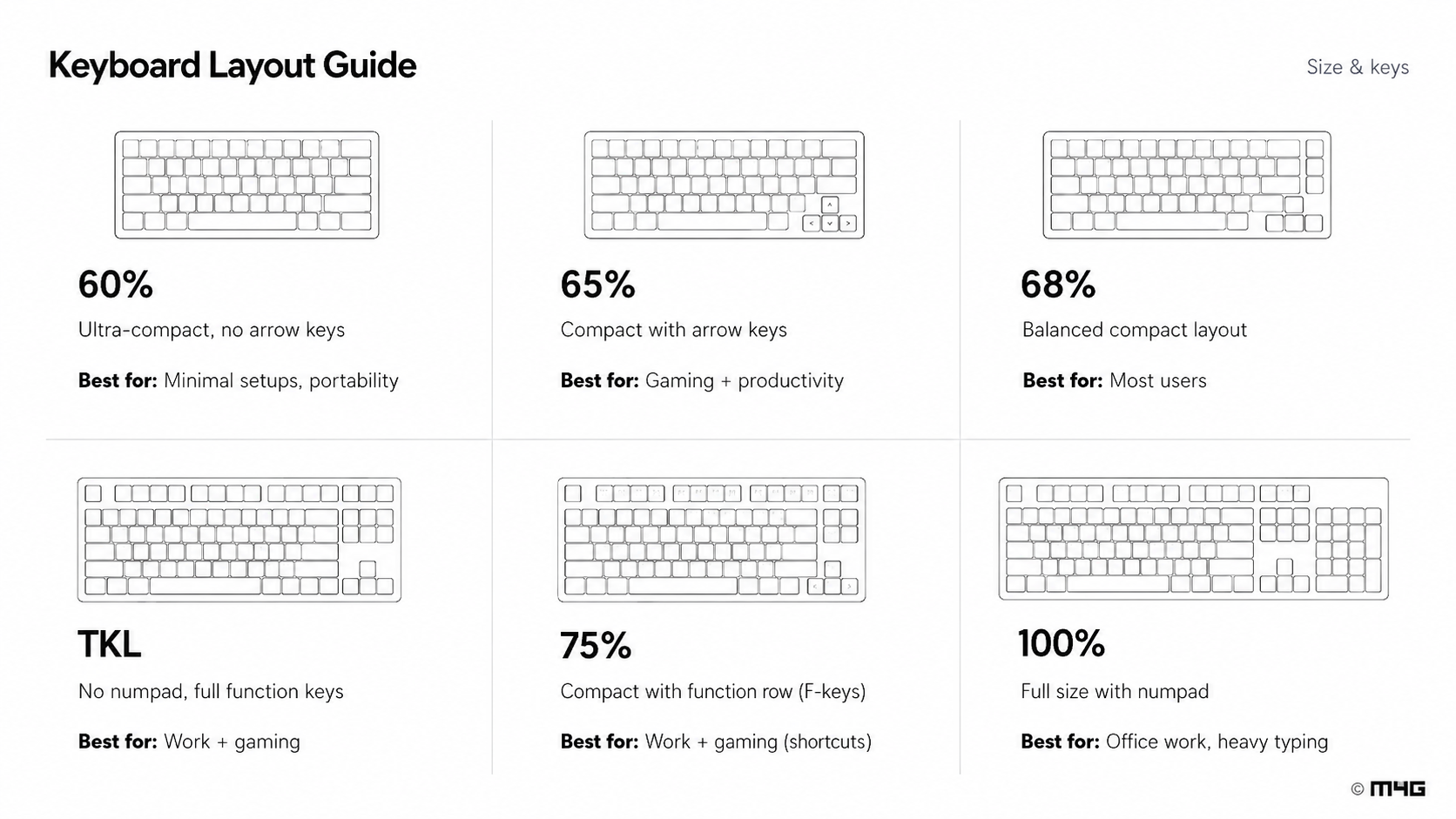
Layout
Choose the size that fits your desk and daily workflow.
M4G Buying Guide
A simple guide for customers who want the right layout, switch type, and keyboard feel before buying. Start with your usage, then choose the model that fits your setup.
Most customers only need to answer four questions: how much desk space they have, how fast they want the keyboard to feel, what sound they like, and what budget fits.
Choose the size that fits your desk and daily workflow.
Pick Hall Effect for speed or Mechanical for classic feel.
Linear, tactile, or clicky changes sound and feedback.
Choose the M4G model that matches your needs and budget.
Layout changes desk space, shortcuts, arrow keys, and daily comfort. Compact layouts are cleaner for gaming, while larger layouts can be easier for work.
The switch type is the biggest difference in how the keyboard performs. Hall Effect is made for speed and tuning. Mechanical is made for classic feel, sound, and customization.
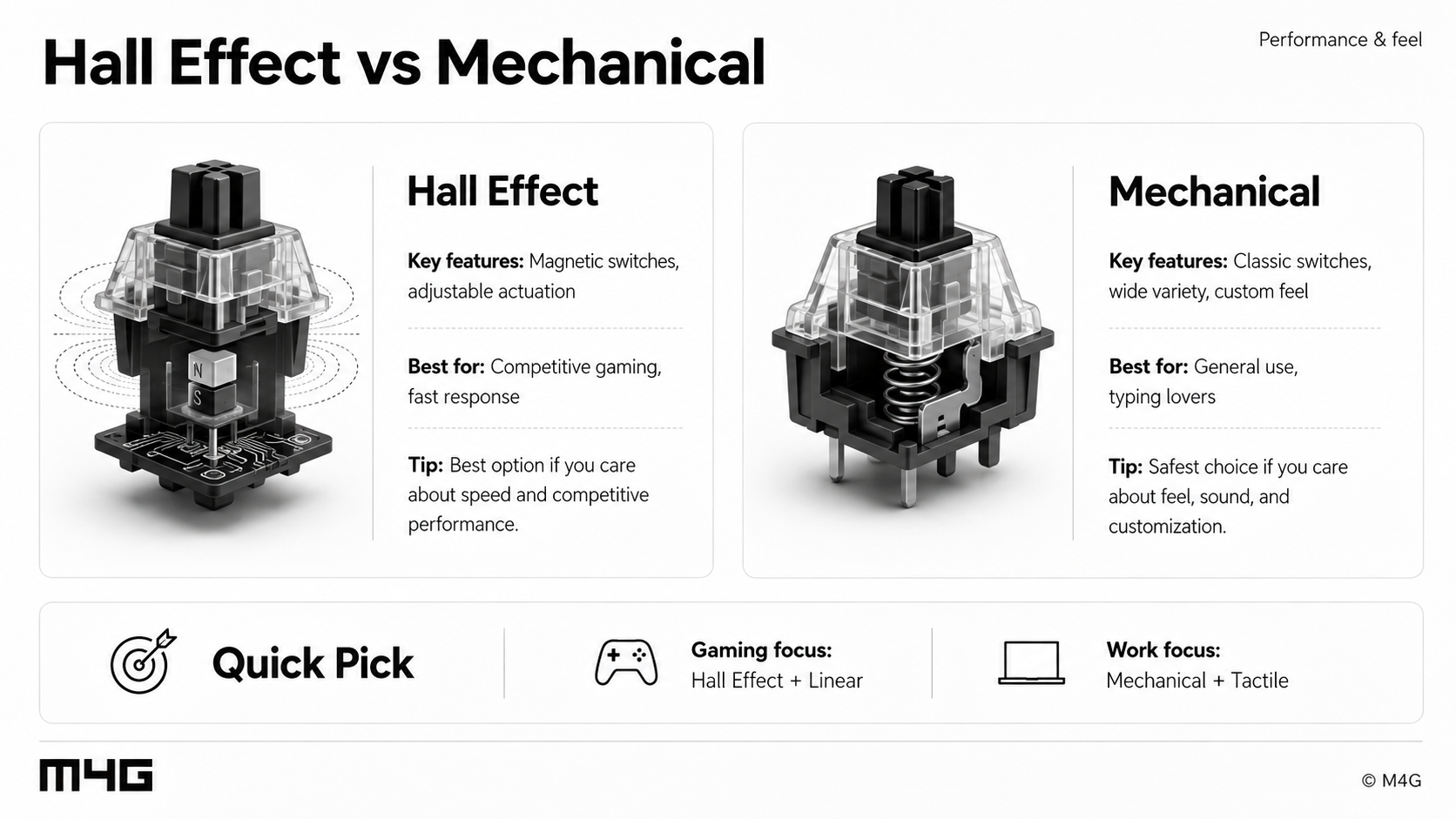
Magnetic switches, adjustable actuation, rapid trigger, and fast response. Best for competitive gaming.
Classic switches, wide variety, custom sound, and familiar typing feedback. Best for general use and typing lovers.
No bump, no click. Best for gaming and fast repeated key presses.
A clear bump when pressing. Best for typing, work, and users who like confirmation.
Strong feedback and louder sound. Best for typing enthusiasts, not quiet rooms.
Lower noise for shared spaces, offices, or night setups.
Competitive gamer: Hall Effect + Linear. Casual user: Mechanical + Linear or Tactile. Work setup: Tactile or Silent Linear. Minimal setup: 65% or 68%.