



 01
Tactical precision
Counter-Strike 2
M4G fit95%
Tune A/D actuation for deliberate peeks and clean releases. Keep movement automation disabled.
Game page
Complete keyboard

M4G / MAGNETIC PERFORMANCE
Every move starts here.
THE NEXT STEP / BY M4G
Meet Step One HE X — magnetic control, fast USB reporting and a keyboard you can tune to the way you play

Ultra-fast polling
Your keyboard sends an input update every 0.125 milliseconds at 8000 Hz
Illustrative timing model. Report interval is not total key-to-screen latency.
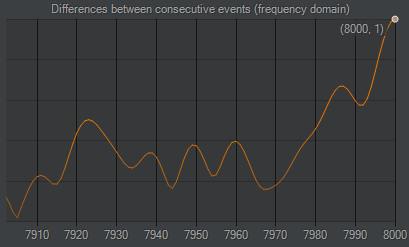
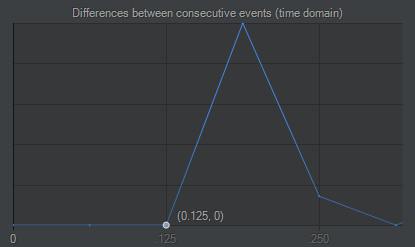
These are the supplied test captures, not a live measurement of your device.
HOW RAPID TRIGGER WORKS
Press W to activate it, lift slightly to reset it, then press again to reactivate it without releasing the key all the way
Follow the key on the left and the input on the right Choose any step to pause and explore it
Illustrated movement Sensitivity and calibration determine how far you need to move

Cross the activation point The keyboard sends W

Press W to cross the activation point
SET YOUR PRESS DEPTH
A magnetic switch senses key travel. Choose how far a key moves before its input activates, from 0.1 to 3.5 mm.
A shallow setting needs less travel. A deeper setting asks for a more deliberate press. Tune movement keys separately from the rest.
Set the threshold Then press the key using the travel slider
YOUR GAME. YOUR FEEL.
Eight arenas. One keyboard. A considered starting point for your next setup.
01Tactical precision
Tune A/D actuation for deliberate peeks and clean releases. Keep movement automation disabled.
Game page 02
Tactical precision
A lighter movement-key feel, with release sensitivity tuned to your timing.
Game page 03
Movement & tracking
Responsive directional inputs for a movement-heavy play style.
Game page 04
Deliberate control
Choose a firmer actuation point for controlled peeks and fewer accidental inputs.
Game page 05
Fast direction changes
Tune quick direction changes while keeping ability keys more deliberate.
Game page 06
Fast-paced action
Balance responsive movement with deeper activation on equipment keys.
Game page 07
Measured movement
A controlled setup for positioning, leaning and careful movement.
Game page 08
Dynamic movement
Quick releases and a light movement-key feel for a fast-moving arena.
Game pageProposed M4G editorial fit scores, based on control style and keyboard features. These are not measured performance gains, player reviews or publisher endorsements. Tune to your preference and follow each game’s input rules.
THE SWITCH / M4G CUSTOM
Mag Pro Pole turns key travel into a magnetic signal that HE X reads and tunes in software
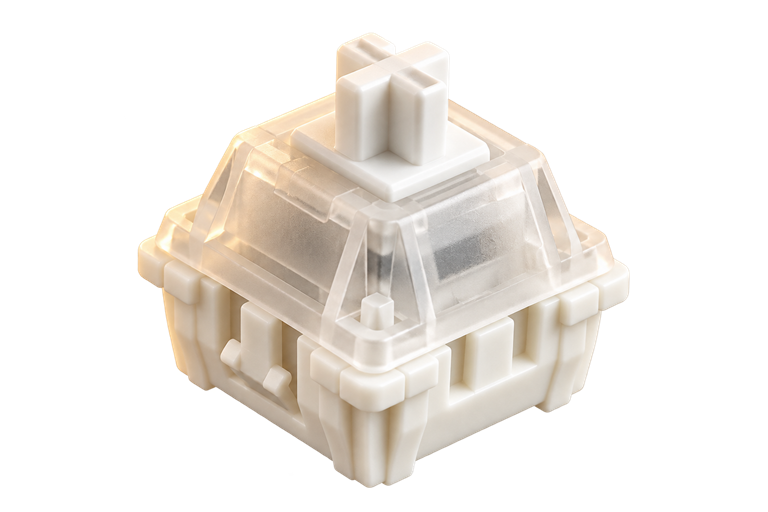
A contactless Hall effect switch built for adjustable actuation and fast magnetic input


 Every layer has a purpose
INSIDE THE KEYBOARD
The switches sit above the sensing board, surrounded by the layers that shape every press.
Select a layer to see where it sits and what it does

WHAT SOCD DOES
SOCD handles opposite direction keys pressed at the same time — for example, A and D. Your selected software rule determines which input the keyboard sends when those keys overlap.
The clip does not identify a particular SOCD mode. Check your game or event rules before enabling SOCD.
KEY FUNCTIONS
Press K Send F
Example bindings Choose your own commands and trigger stages in Step One Hub
Put a key or shortcut where you need it
Illustrative key behaviour — configure your bindings in the software
MORE INPUT CONTROL
Set these actions in Step One Hub. Choose how each key responds to a press, a hold or a release.
Assign three functions to one key at three different press depths.
Tap a key to toggle continuous triggering on or off. A held press can act normally.
Assign an action that triggers when a selected key is released.
When two selected keys are pressed, the deeper press takes priority.
RGB LIGHTING
Your keyboard, in your colour
Explore the light, then make it yours in Step One Hub

Lighting visualisation · Customise your effects in Step One Hub
M4G DESKTOP SOFTWARE
Set your actuation and Rapid Trigger, customise key functions and lighting, and manage your profiles
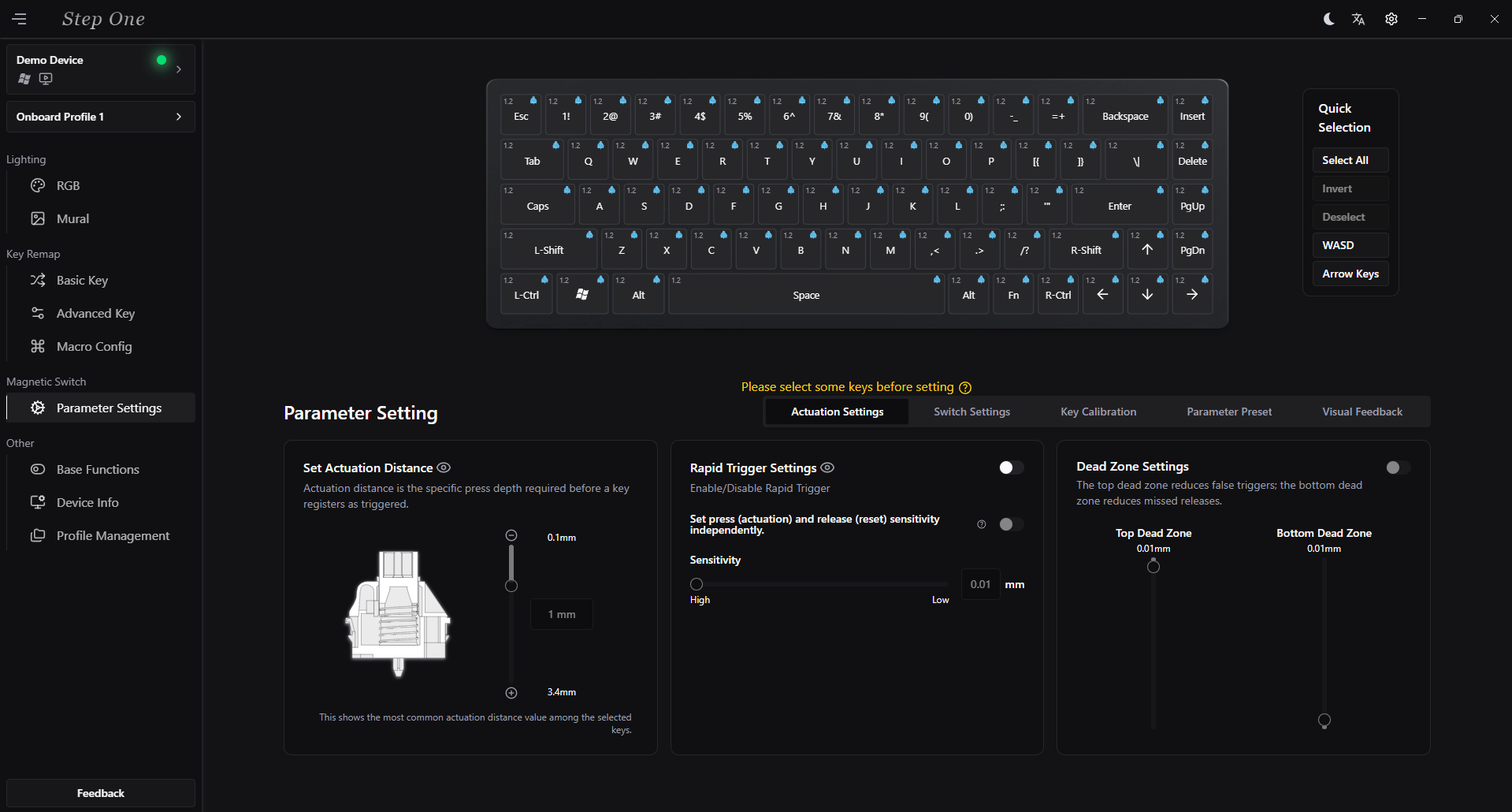
Select keys, tune magnetic input, remap commands and manage RGB and onboard profiles
Windows installer · Real interface shown in Demo Device mode
THE DETAILS / AT A GLANCE
Actuation sets how far you press before an input activates. Rapid Trigger uses changes in key travel to reset and reactivate the input.
The desktop software includes a demo mode. Use the download in the software section when it is available; the physical key feel requires the keyboard.
THE COMPLETE KIT
Your Step One HE X, with the essentials to connect, customise and get started.
INCLUDED / M4G SIGNATURE
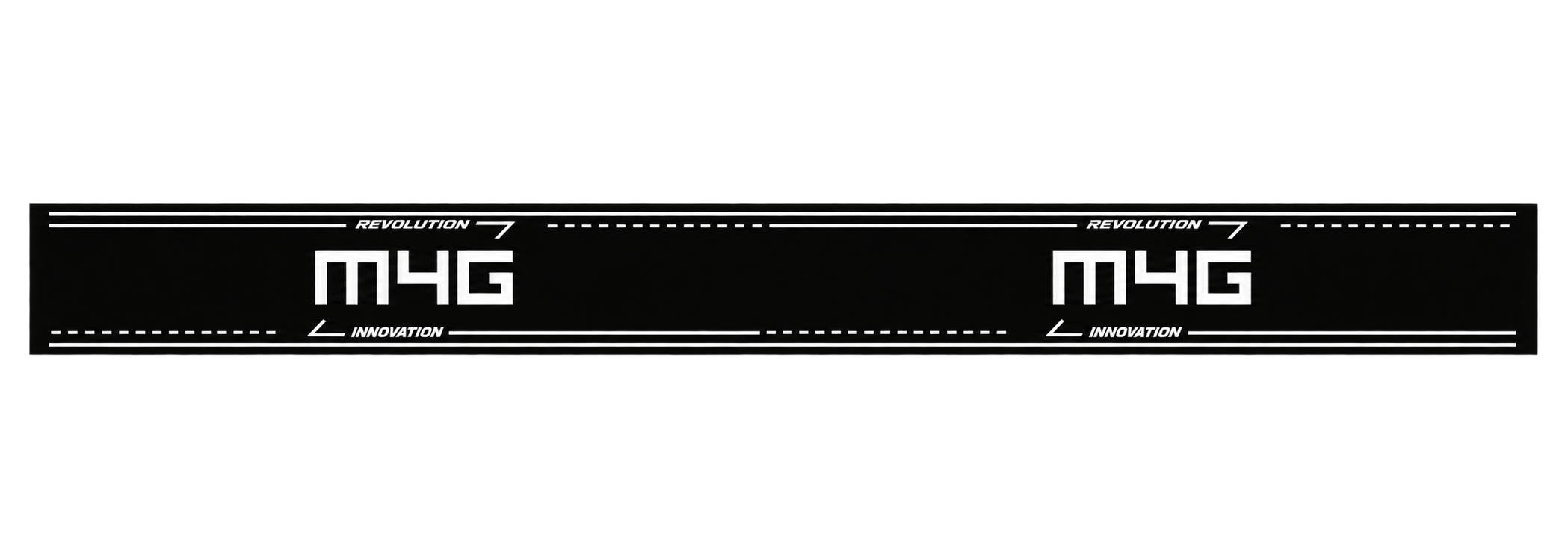
The original flat M4G strap artwork, with white signature marks and graphic lines
OFF THE RENDER / ON THE DESK
Four angles from the M4G setup, shot on a phone with the actual keyboard


M4G HE-X REVIEWS
Reviews from Step One HE X owners
Just be different™
Step One HE X. Magnetic control, shaped around you. By M4G.
Back to HE X